Because Blake’s work involved mythical literature, you would assume that the locations occurring in his texts are fictional. However, Blake includes many countries and cities that exist in reality. In his book Milton, he mentions a lot of counties, some of which are China, Japan, Mexico, Peru, Ireland, Lebanon, Syria, and Egypt.
It seems that there is no specific connection between these places. A route linking them does not appear. And due to Blake’s poems being written in the 1870’s, they are quite difficult to understand with close reading.
What seemed interesting and quite a bit strange is that Blake included countries in his text such as Egypt, Jordan, Lebanon, and Syria.Blake mentions many locations, but does not focus on any specific one. All locations appear at the same frequency, once or twice.
When it came to using google maps, it was very interesting to know that you can pin point certain locations from the past and add a pin of different resemblance to it and by creating story gaps that link to one another through their different locations mimicking what a live tracker would do. In our work on mapping William Blake’s life through google maps we where able to create a map within a map of William’s life and the places he both studied and worked in. Since Blake is a poet from 19th century and from that period till this very day many buildings have changed, locations have been renamed and certain places even removed making it difficult to locate those places accurately.
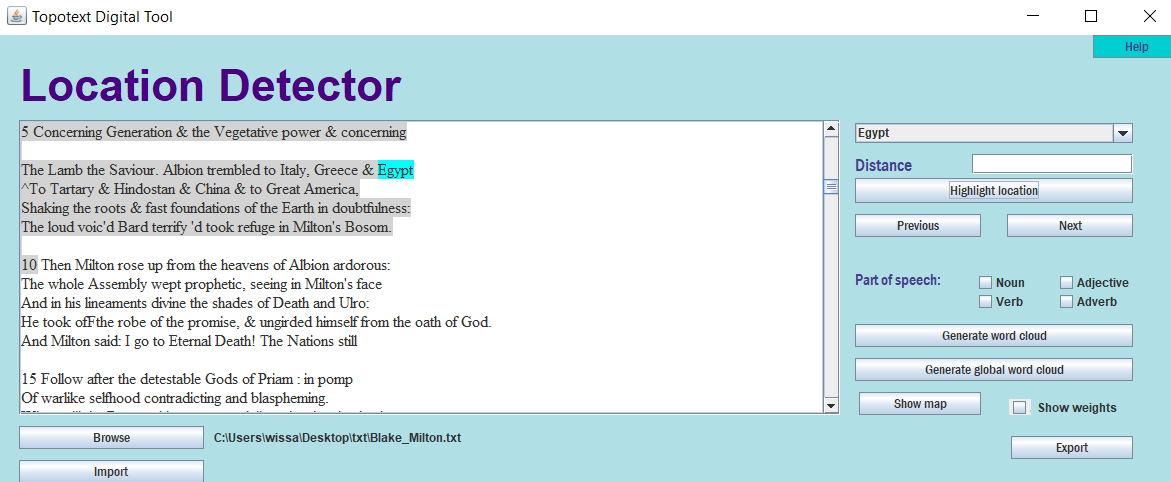
For the literary text mapping we used Topotext which is a tool developed by AUB students that takes a text as input and generates a map with all the locations mentioned in the book marked.
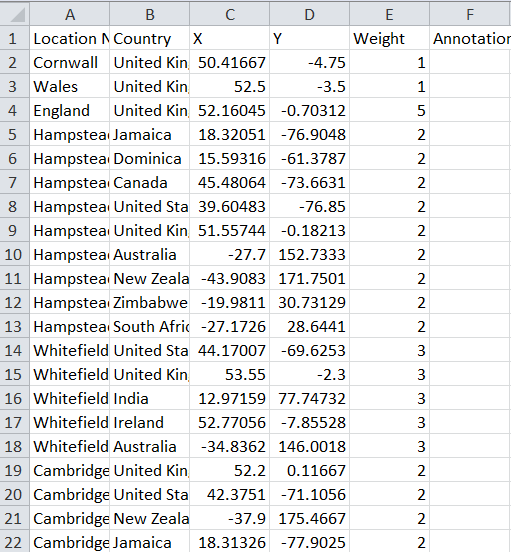
By clicking on export, we can generate an excel sheet that contains all the locations the author mentioned in the text. These locations are ordered alphabetically with each place having all its possibilities listed. For example, the city Cambridge appeared in the text, so the excel sheet contained seven different entries for Cambridge, each corresponding to a different location (Cambridge UK, Cambridge US, …). Our job was to clean this data so that the remaining rows were the correct locations of the text. The difficulty we encountered at this step was our uncertainty while determining which location was the correct one since the poem we were mapping was quite long and we could not read through it all.
After cleaning the excel sheet, we imported it back to Topotext and then generated the map. We can add labels or annotations to each location including that in the annotation column of the excel sheet.
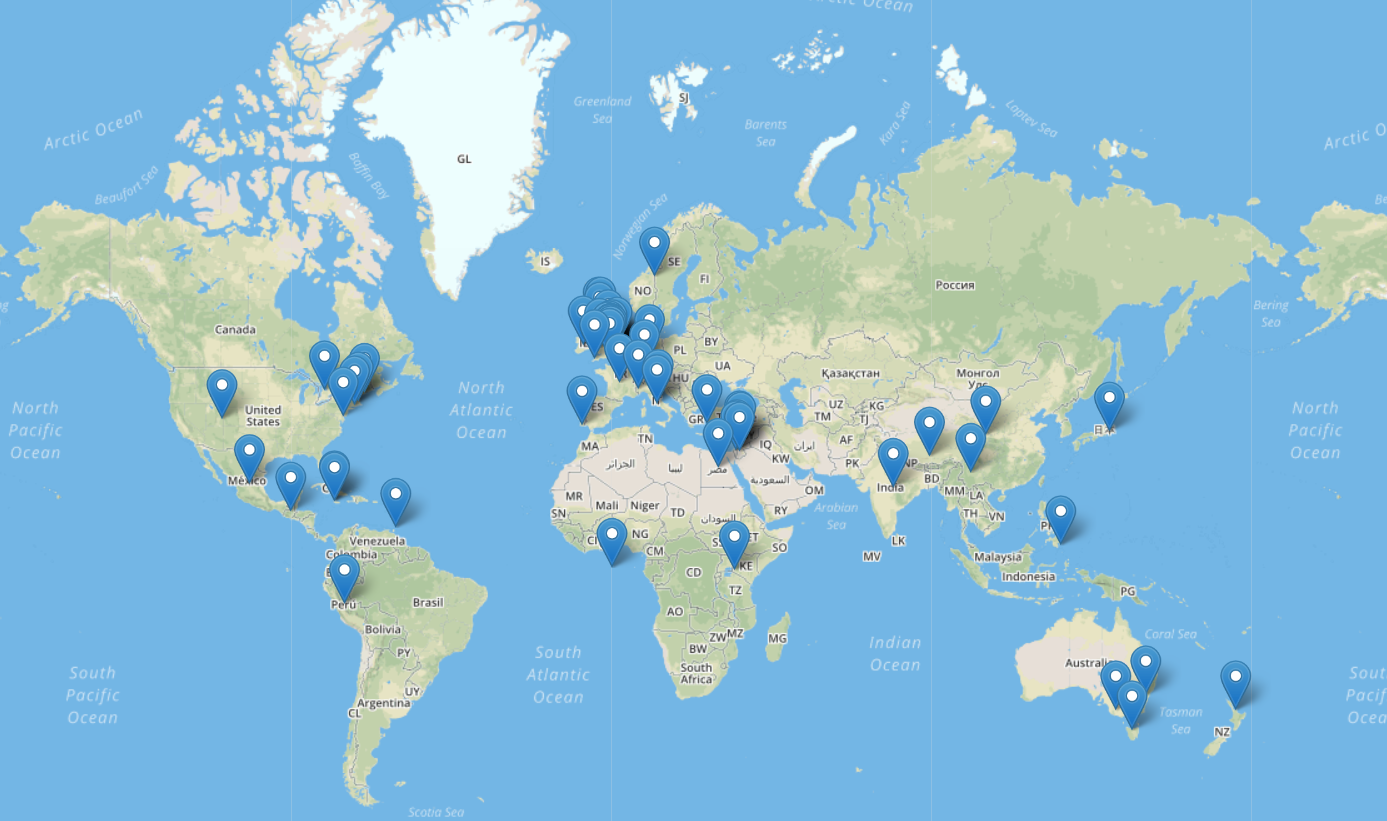
One of the issues of Topotext was that it did not distinguish between character names such as Milton and locations such as Milton, Bolivia. It also took directions such as North and East, or the word ocean as locations in cities. Another disadvantage to mapping using Topotext is that any location mentioned in the text will appear in the data, so even if the character might not have visited that location it will still appear. We have to do a bit of close reading to determine if the locations on the map were just mentioned by the author or if the character in question actually went to them.
Disregarding these complications, Topotext is a smart mapping tool that can help us visualize a route the character might have taken in the text we are reading, or make relationships out of locations mentioned. For us, it was difficult to come up with an analysis regarding the relationship between the cities and countries mentioned, since they were a lot. Also, because the text is vague in terms of language this did not allow us to clearly understand the poem.
 Wissam's Blog